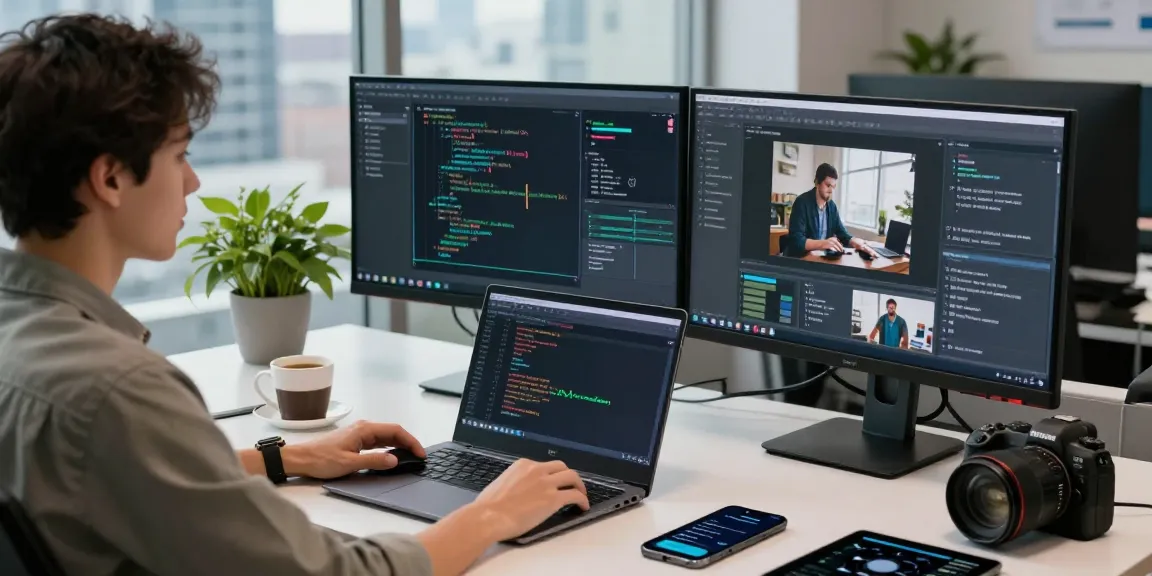
Understanding the Impact of Brightet on Workspace Design
As modern work environments evolve, incorporating innovative tools like Brightet has become essential. This platform not only shapes workspace design but enhances productivity and efficiency, fostering both individual and team performance. Let's delve deeper into how Brightet can transform your workspace, sparking collaboration and creativity.
What is Brightet?
Brightet is a cutting-edge workspace management tool designed to optimize office layouts and address the unique needs of modern professionals. It provides features that facilitate seamless collaboration, improve communication, and enhance overall productivity within a workspace. Brightet serves as a digital companion that aligns with various aspects of workspace design, including lighting, layout, and technology integration.
How Brightet Improves Productivity
Productivity in the workplace is significantly influenced by environmental factors, and Brightet addresses this through a user-friendly interface that promotes efficiency. By monitoring various elements such as employee engagement, workspace utilization, and communication effectiveness, Brightet helps organizations understand their productivity hurdles. With data-backed insights, teams can adapt their work environments, maximizing output and enhancing overall morale.
Key Features of Brightet
- Workspace Analytics: Brightet provides detailed analytics on space usage, helping leaders make informed decisions about layout and utilization.
- Collaboration Tools: With integrated tools for teams, Brightet fosters communication and synchronizes efforts, ensuring everyone is on the same page.
- Room Booking Systems: The platform simplifies the booking of meeting rooms, making it easier for employees to find available spaces and utilize them efficiently.
- Customizable Interfaces: Users can tailor their dashboards to focus on metrics that matter most to their roles, enhancing user experience.
Implementing Brightet in Your Workspace
Steps to Integrate Brightet
Implementing Brightet into your workspace requires a well-planned approach:
- Assessment: Evaluate your current workspace layout and identify areas that need improvement.
- Set Goals: Determine what you want to achieve with Brightet—improved collaboration, better use of spaces, or enhanced employee satisfaction.
- Training: Train teams on how to use the platform effectively to ensure its successful adoption.
- Integration: Integrate Brightet with existing software tools and systems your team is currently using.
- Feedback Loop: Establish a system for gathering feedback from users to improve the platform continuously.
Customization Options within Brightet
Brightet offers customizable options to tailor the workspace according to company culture and employee preferences. Users can adjust settings related to notifications, layout preferences, and analytics dashboards based on their specific needs. Such flexibility ensures that the platform genuinely enhances the user experience and contributes to smoother workflows.
Common Challenges and Solutions
While implementing Brightet, organizations may encounter challenges such as resistance to change or technical difficulties. Here are some common issues and potential solutions:
- Resistance to New Technology: Overcome this by engaging employees early in the process, providing comprehensive training, and showcasing the benefits of Brightet.
- Technical Glitches: Work closely with the Brightet support team during the integration phase to troubleshoot any issues promptly.
- Data Overload: Simplify data analytics by focusing on key performance metrics that align with company goals, preventing users from feeling overwhelmed.
Maximizing Efficiency with Brightet
Time Management Tools in Brightet
Brightet's robust time management tools empower employees to prioritize tasks effectively. With functionalities such as task reminders, deadline tracking, and productivity reports, teams can stay organized and focused on their objectives. Furthermore, integrating time management within the workspace ensures employees allocate time efficiently, enhancing overall productivity.
Collaboration Features with Brightet
The collaboration tools embedded in Brightet facilitate real-time communication and information sharing among team members. Features such as document sharing, group chats, and collaborative project management boards create an inclusive workspace that encourages teamwork. This seamless integration of collaboration features reduces the likelihood of miscommunication and enhances project outcomes.
Performance Tracking with Brightet
Brightet excels in providing performance tracking capabilities that allow managers to assess progress against targets. With customizable reports and dashboards, organizations can analyze team performance, enabling timely interventions and strategic planning. This data-driven approach not only promotes accountability but also nurtures a culture of continuous improvement within the workplace.
Case Studies: Success with Brightet
Businesses that Transformed with Brightet
Many businesses have successfully transformed their workspaces through the implementation of Brightet. One noteworthy case involved a tech startup that experienced a 30% increase in productivity after integrating Brightet. The platform provided them with insights on workspace utilization and collaboration, enabling them to redesign their office layout in alignment with employee needs.
User Testimonials on Brightet
User feedback reveals positive responses to Brightet's impact on workflows. "Brightet has revolutionized how we collaborate," said a project manager at a marketing agency. "The tools provided us have increased our communication efficiency, making it easier to meet deadlines and achieve our goals." Such testimonials highlight the tangible benefits derived from Brightet.
Comparative Analysis of Brightet Implementations
A comparative analysis of various Brightet implementations showcases its adaptability across sectors. Companies in education, healthcare, and finance have tailored the platform to meet specific challenges while seeing substantial gains in productivity and employee engagement. By analyzing these diverse applications, organizations can glean valuable insights into best practices for their specific contexts.
Future Trends in Workspace Technology and Brightet
Innovations on the Horizon for Brightet
The future of workspace technology is promising, with continuous innovation on the horizon for Brightet. Upcoming features may include advanced AI-driven analytics that predict workspace needs based on usage patterns. Additionally, enhancements in user interfaces will further improve the accessibility of data, making it easier for users to derive actionable insights.
The Role of AI in Brightet's Future
AI integration within Brightet is positioned to optimize workspace management dramatically. By leveraging machine learning algorithms, Brightet will be able to provide predictive analytics that can anticipate future needs and suggest proactive adjustments. Such advancements could help create more agile and dynamic work environments tailored to evolving employee needs and preferences.
How to Stay Updated with Brightet Developments
To stay abreast of the latest developments regarding Brightet, users should engage with the community through forums and webinars. Subscribing to updates and newsletters also ensures that users receive timely information about new features and best practices. Such engagement promotes a culture of continual learning and evolution within organizations.
FAQs about Brightet
What types of businesses can benefit from Brightet?
Brightet is versatile and can benefit a range of businesses, including startups, large enterprises, and non-profits, across various sectors.
How does Brightet improve employee engagement?
By providing collaboration tools and performance tracking, Brightet actively engages employees by fostering communication and transparency.
Can Brightet be integrated with other tools?
Yes, Brightet offers integration capabilities with various existing software, making it a seamless addition to your tech stack.
Is training available for new Brightet users?
Absolutely! Brightet offers comprehensive training resources and sessions to help new users maximize the platform's potential.
What support options does Brightet provide?
Brightet provides various support options including customer service, online help centers, and community forums to assist users effectively.